Notion·Design
Video Editing Portfolio
About this template
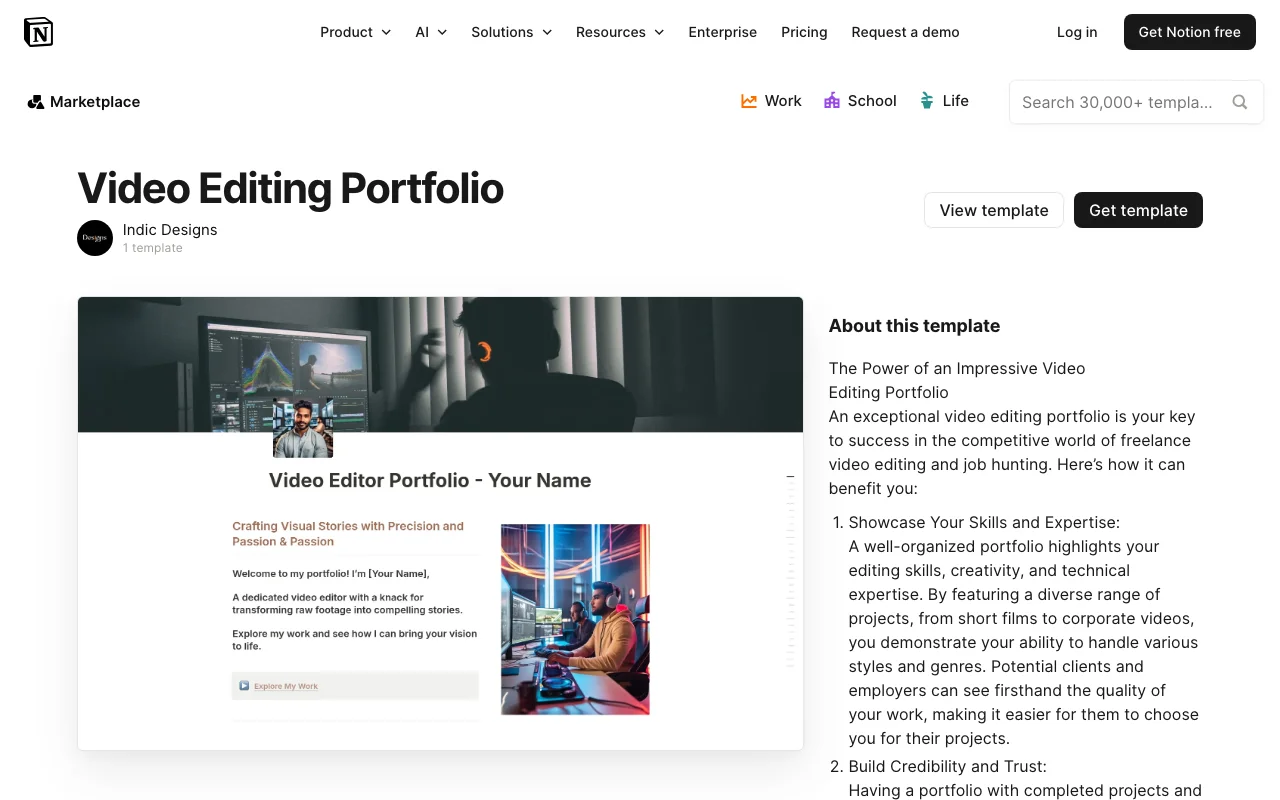
The Video Editing Portfolio template is a professionally designed Notion workspace created by indicdesigns that empowers video editors, content creators, and digital artists to showcase their best work in a visually compelling way. This free template provides a structured yet flexible framework for building an impressive portfolio directly within Notion, eliminating the need for expensive website builders or complicated design software.
Whether you're a freelance video editor looking to land your next client, a motion graphics designer building your professional presence, or a content creator wanting to organize and display your video projects, this template offers an elegant solution. The Video Editing Portfolio template in Notion combines aesthetic design with practical functionality, making it easy to organize your work by project type, client, or skill category.
The template includes thoughtfully designed sections that allow you to display your video projects with rich media integration, project descriptions, technical details, and client testimonials. You can embed video previews, link to full projects, and include behind-the-scenes information that showcases your creative process and technical expertise. This helps potential clients and collaborators understand not just what you've created, but how you approach your craft.
Key features of this Notion-based portfolio include customizable project galleries, detailed case study sections, client information management, and skills documentation. The template's database structure makes it simple to filter and sort your work, allowing visitors to explore your portfolio by style, industry, software used, or project duration. You can also track project metrics like view counts, client feedback, or completion timelines directly within your workspace.
Getting started is straightforward. Simply duplicate the template into your Notion workspace and begin populating it with your video projects. The intuitive layout guides you through adding project titles, descriptions, embed links, and metadata without requiring any technical knowledge. Customize colors, fonts, and sections to match your personal brand and creative style.
What makes this template particularly valuable is its cost-free nature combined with Notion's powerful collaboration features. You can share your portfolio with potential clients, teammates, or collaborators through Notion's sharing settings. The template grows with your career, allowing you to add new projects, update case studies, and refine your presentation as your skills and portfolio expand.
For video editors seeking a professional yet affordable portfolio solution, the Video Editing Portfolio template offers the perfect balance of design sophistication and practical usability within the Notion platform.
Frequently Asked Questions
What's included in the Video Editing Portfolio template?↓
The template includes pre-built sections for showcasing video projects, project galleries, detailed case studies, client information management, skills documentation, and customizable portfolio layouts. It's designed to display your best work with embedded videos, project descriptions, technical details, and client testimonials all organized within Notion.
Who is this template best for?↓
This template is ideal for freelance video editors, motion graphics designers, content creators, digital artists, and any creative professional who wants to build a professional portfolio. It's perfect for anyone looking to impress potential clients, collaborate with team members, or showcase their video editing work without needing a separate website.
How can I customize the template?↓
The Video Editing Portfolio template is fully customizable within Notion. You can modify colors, fonts, layout sections, database properties, and add or remove fields to match your personal brand. You can reorganize sections, create custom filters and sorts for your projects, and adjust the design elements to reflect your creative style.
Is the Video Editing Portfolio template really free?↓
Yes, this template is completely free. Created by indicdesigns, it's available at no cost. You only need a free or paid Notion account to use it. There are no hidden fees or premium upgrades required to access all the template's features.
What Notion plan do I need to use this template?↓
You can use the Video Editing Portfolio template with any Notion plan, including the free version. However, for optimal functionality with sharing features and larger databases, a paid Notion plan may be beneficial. The template works seamlessly across all Notion pricing tiers.