Notion·Design
Brand Guide
About this template
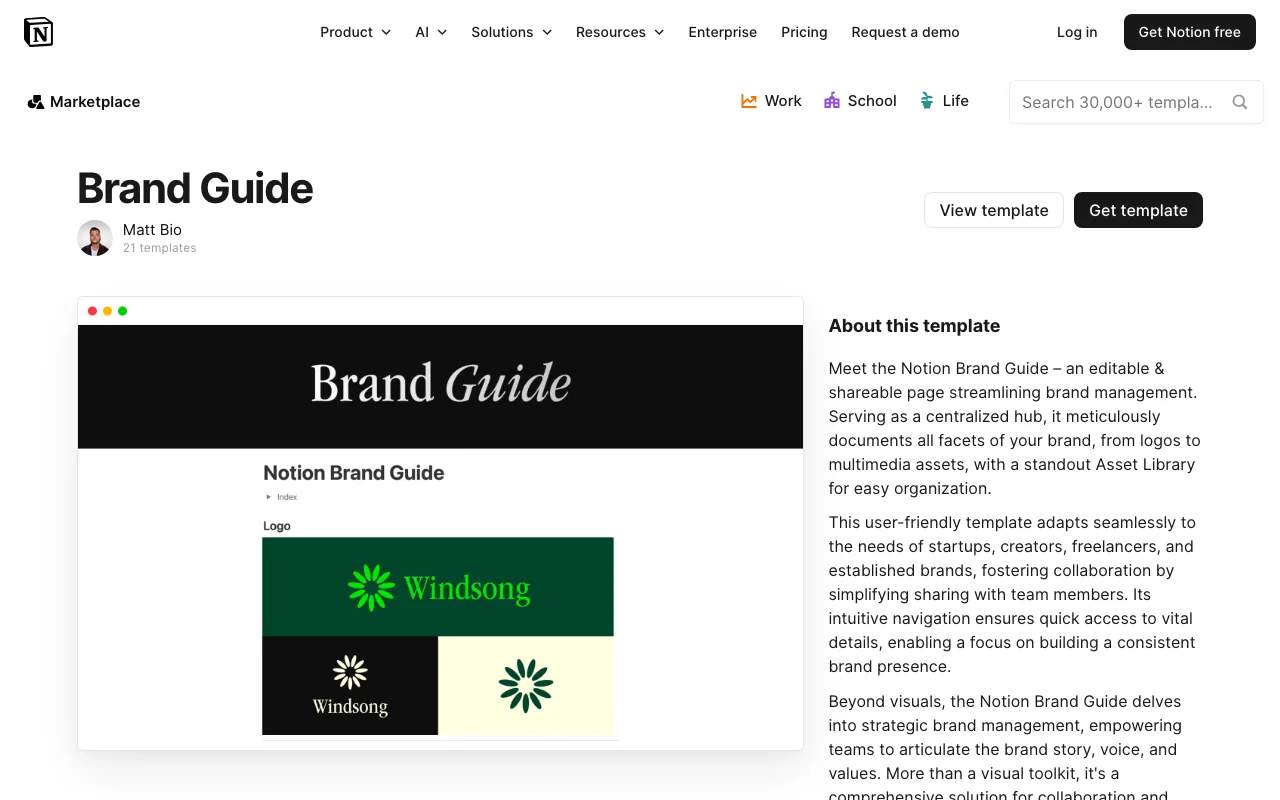
A Brand Guide template built in Notion is an essential tool for designers, creative professionals, and businesses looking to maintain consistent brand identity across all projects and communications. This comprehensive template, created by bio, provides a centralized hub where you can document and organize all aspects of your brand in one accessible location.
The Brand Guide template in Notion serves as a living document that captures your brand's visual identity, voice, and values. Whether you're a freelance designer, creative agency, or growing business, this template helps ensure everyone on your team—or anyone collaborating with you—understands exactly how your brand should be represented. Instead of scattered files across multiple folders or unclear design standards, everything lives in one well-organized Notion workspace.
Key sections within this Brand Guide template include visual identity guidelines where you can showcase your logo, color palette, typography choices, and imagery styles. The template allows you to document your brand voice and tone, creating clear guidelines for how your brand communicates across different channels. You'll find sections for logo usage rules, spacing requirements, and size specifications to prevent misuse of your brand assets.
The template also includes space for documenting your brand mission, values, and positioning statement—the foundational elements that guide all creative decisions. This helps anyone using your brand understand not just the 'how' but the 'why' behind your design choices. Additional sections cover approved photography styles, icon usage, website guidelines, and social media standards, giving comprehensive direction for brand application across platforms.
What makes this Notion-based Brand Guide particularly valuable is its accessibility and ease of sharing. Unlike static PDFs, your Notion template can be easily updated and shared with team members, contractors, or partners. Everyone can access the current version simultaneously, eliminating confusion about outdated brand standards. The template's flexible structure allows you to add custom sections relevant to your specific brand needs.
Getting started is straightforward—simply duplicate the template to your Notion workspace and begin filling in your brand information. You can add images directly, embed color codes, and link to brand asset files. The intuitive Notion interface makes it easy to navigate through different sections, and you can customize the layout to match your preferences. Whether you're a solo designer building your personal brand or a marketing team managing multiple brand identities, this free Notion template provides the structured framework you need to maintain brand consistency and professionalism.
Frequently Asked Questions
What's included in the Brand Guide Notion template?↓
The template includes comprehensive sections for visual identity (logos, colors, typography), brand voice and tone guidelines, logo usage rules, photography and imagery styles, social media standards, website guidelines, and space for your brand mission and values. You can customize it to add additional sections specific to your brand needs.
Who is this Brand Guide template best for?↓
This template is ideal for freelance designers, creative agencies, small to medium-sized businesses, entrepreneurs, and anyone needing to maintain consistent brand identity. It's particularly useful if you work with a team, contractors, or need to share brand guidelines with partners and clients.
How do I customize the Brand Guide template?↓
Simply duplicate the template to your Notion workspace and start editing. You can add your brand colors, logo images, update text sections, add new pages for specific guidelines, and reorganize sections based on your brand's needs. Notion's flexibility allows you to adjust layouts, add databases, and create custom properties.
Is this Brand Guide template really free?↓
Yes, this Notion template is completely free to use. You only need a free Notion account to access and duplicate it. There are no hidden fees or premium requirements.
What do I need to use this Notion template?↓
You'll need a free Notion account, which you can create at notion.so. The Brand Guide template works seamlessly within Notion's platform and requires no additional software or design tools to implement and maintain.