Notion·Design
Interior Designer Hub
About this template
The Interior Designer Hub is a comprehensive Notion template designed to streamline the workflow of interior designers, design students, and creative professionals. Created by heyismail, this free template transforms Notion into a powerful project management and portfolio system tailored specifically for the design industry.
This Notion template serves as an all-in-one workspace where interior designers can organize client projects, manage design inspirations, track timelines, and maintain detailed project documentation. Whether you're a seasoned professional managing multiple clients or a freelancer just starting your interior design business, the Interior Designer Hub provides the structure and organization you need to keep your creative work on track.
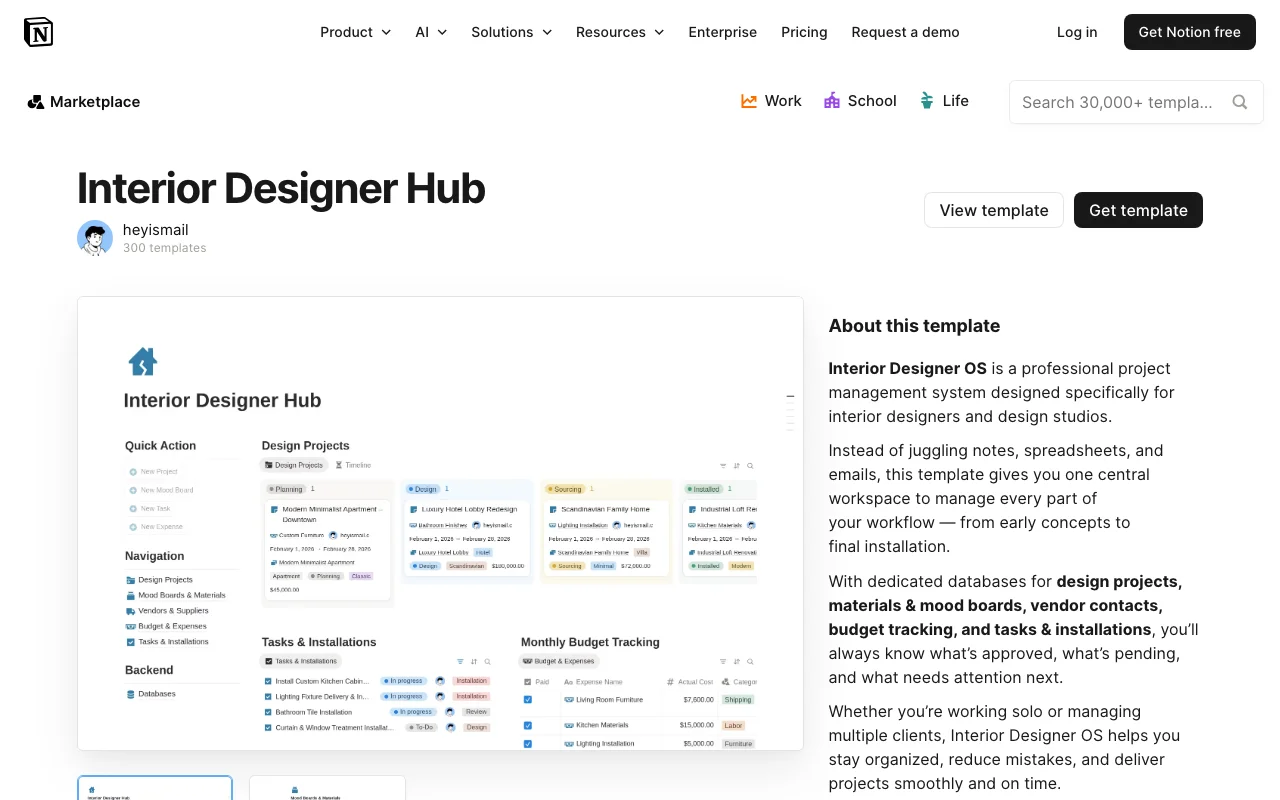
The template includes dedicated sections for client information management, allowing you to store contact details, project briefs, and communication preferences in one accessible location. Project tracking features help you monitor deadlines, deliverables, and project phases from initial consultation through final installation. A built-in mood board and inspiration gallery section lets you collect, organize, and reference design elements, color palettes, and material samples for your projects.
Key features of the Interior Designer Hub include customizable project databases, client portfolio management, budget tracking capabilities, and a timeline view for visualizing project schedules. The template also incorporates sections for design notes, material and furniture specifications, and vendor contact information, making it easy to manage all aspects of your design projects in one centralized location.
What makes the Interior Designer Hub particularly valuable is its flexibility within Notion's powerful platform. You can easily customize every aspect to match your specific workflow, add new properties to databases, and create filtered views for different project types or client categories. The template's intuitive layout means you can get started immediately without extensive setup time.
Getting started with the Interior Designer Hub is simple. Once you duplicate the template to your Notion workspace, you'll find pre-built databases and pages ready to populate with your client and project information. Begin by filling in your client details, then create project entries for current and upcoming work. Use the template's organizational structure as a foundation and modify sections based on your specific needs and design specialization.
Best of all, the Interior Designer Hub is completely free, making it an accessible solution for designers at any stage of their career. Whether you're transitioning from spreadsheets or other project management tools, this Notion template provides a professional, design-focused alternative that grows with your business.
Frequently Asked Questions
What's included in the Interior Designer Hub template?↓
The template includes pre-built databases for client management, project tracking, mood boards, and design inspiration galleries. It features sections for project timelines, budget tracking, material specifications, vendor information, and communication logs—everything you need to organize your interior design business in one Notion workspace.
Who is the Interior Designer Hub template best for?↓
This template is ideal for interior designers, design studios, design students, freelance design consultants, and creative professionals who want to organize their projects and client relationships. It works for both solo designers and small design teams looking to streamline their workflow.
How can I customize the Interior Designer Hub to fit my specific needs?↓
Since it's built in Notion, the template is fully customizable. You can modify database properties, adjust views, change colors and layouts, add new sections, and reorganize pages to match your specific workflow. You can also add custom formulas, filters, and sorts to track metrics that matter most to your design business.
Is the Interior Designer Hub template really free?↓
Yes, the Interior Designer Hub is completely free. Created by heyismail, this template is available for anyone to duplicate and use in their Notion workspace at no cost, making it an affordable solution for designers of all budget levels.
Does the Interior Designer Hub work with all versions of Notion?↓
The template is designed for Notion and works on all platforms where Notion is available—including web browsers, iOS, Android, and desktop applications. You'll need a Notion account to access and duplicate the template to your workspace.