Notion·Productivity
Widgets & Tools Summary | Widgets & Tools
About this template
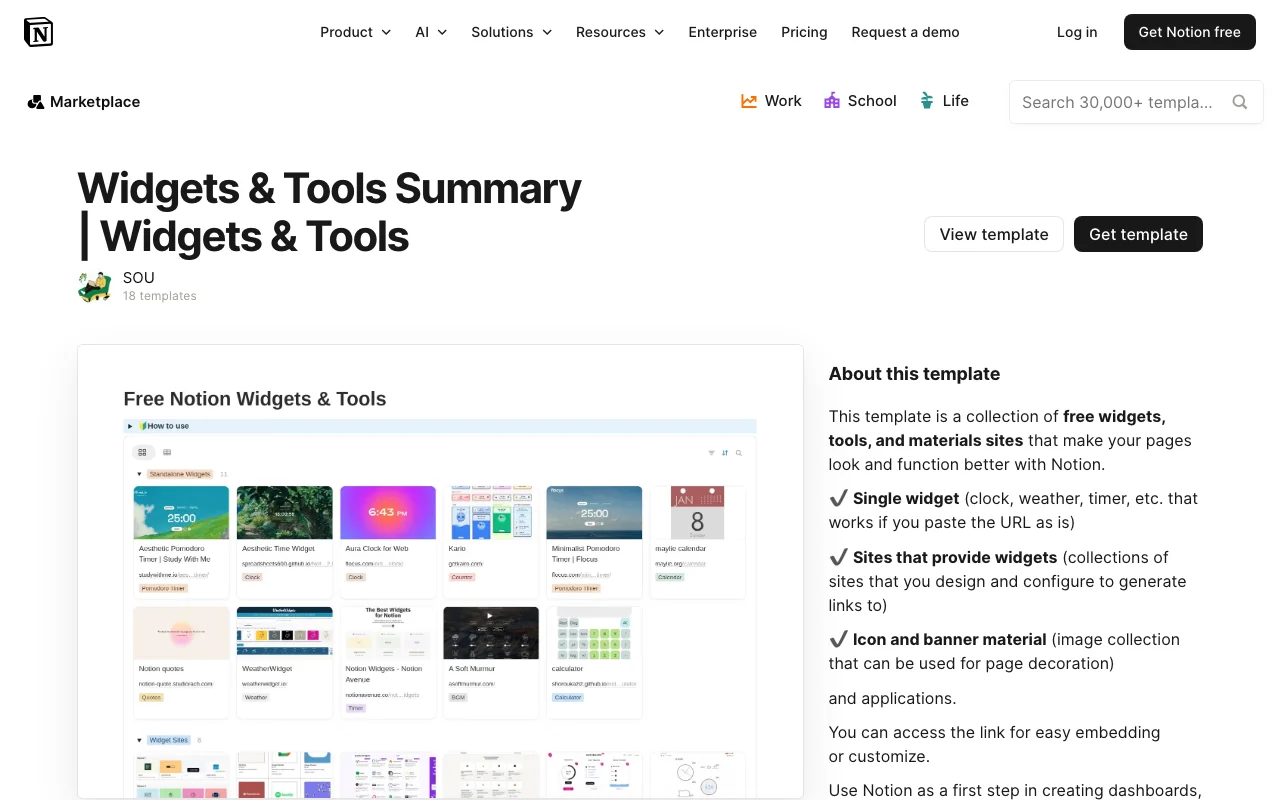
The Widgets & Tools Summary template for Notion is a comprehensive productivity solution designed to help users organize, track, and manage all their essential tools and utilities in one centralized location. Created by sou, this free Notion template serves as a powerful dashboard that brings together your most-used widgets and tools, eliminating the need to jump between multiple applications and browser tabs throughout your day.
This Notion template is perfect for productivity enthusiasts, remote workers, developers, students, and anyone who relies on multiple software solutions to stay organized. Whether you're juggling project management apps, note-taking tools, communication platforms, or automation utilities, the Widgets & Tools Summary provides a unified overview that keeps everything at your fingertips.
The template features a well-structured layout that allows you to document, categorize, and summarize all your digital tools in one place. You can easily track which tools you're actively using, document their purposes, store quick links, and maintain notes about configurations or important details. The summary view gives you a bird's-eye perspective of your entire toolkit, making it simple to identify gaps, redundancies, or tools you've forgotten about.
Key sections within this Notion template include dedicated areas for listing your tools with descriptions, categories for organizing by function or purpose, quick access links for launching your applications, and summary sections that provide insights into your tool usage patterns. The intuitive design makes it easy to scan and find what you need without overwhelming clutter.
Why use this template? Managing too many tools can be chaotic and time-consuming. Having a centralized Widgets & Tools Summary in Notion ensures you always know what tools you have available, where to find them, and how they integrate into your workflow. This reduces decision fatigue, improves efficiency, and helps you make informed choices about which tools actually deserve space in your productivity stack.
Getting started is straightforward. Simply duplicate this free template into your Notion workspace and begin adding your current tools and widgets. You can customize the categories to match your unique workflow, add descriptions that matter to you, and update the summary as your toolkit evolves. The flexibility of Notion means you can adjust the template's structure to perfectly match your needs, whether you prefer a simple list or a more detailed database with filtering and sorting capabilities.
Frequently Asked Questions
What's included in the Widgets & Tools Summary template?↓
The template includes a structured Notion database for organizing your tools and widgets, sections for categorizing your tools by function or purpose, quick access links to your favorite applications, summary views for tracking your toolkit at a glance, and customizable fields for adding descriptions, statuses, and notes about each tool.
Who is this template best for?↓
This template is ideal for remote workers, productivity enthusiasts, developers, students, freelancers, and anyone who uses multiple digital tools and applications daily. It's perfect for people who want to consolidate their toolstack, reduce app-switching, and maintain a clear overview of their productivity ecosystem.
How can I customize the Widgets & Tools Summary template?↓
Since this is a Notion template, you have complete flexibility to customize it. You can add, remove, or rename categories to match your workflow, adjust database properties, create filtered views for different tool types, add your own notes and documentation, change colors and formatting, and even add formulas or relations to other Notion databases.
Is this template really free?↓
Yes, the Widgets & Tools Summary template is completely free to use. Created by sou, it's available as a free Notion template that you can duplicate into your workspace at no cost. Notion itself offers both free and paid plans, but this template doesn't require any paid features.
Is this template compatible with my Notion account?↓
This template works with any Notion account, whether you're using the free version or a paid plan. Simply access the template link, click duplicate, and select the Notion workspace where you want to add it. It's compatible with Notion on desktop, web, and mobile platforms.