Notion·Content Creation
Office Editorial Calendar (and Team Workflow)
About this template
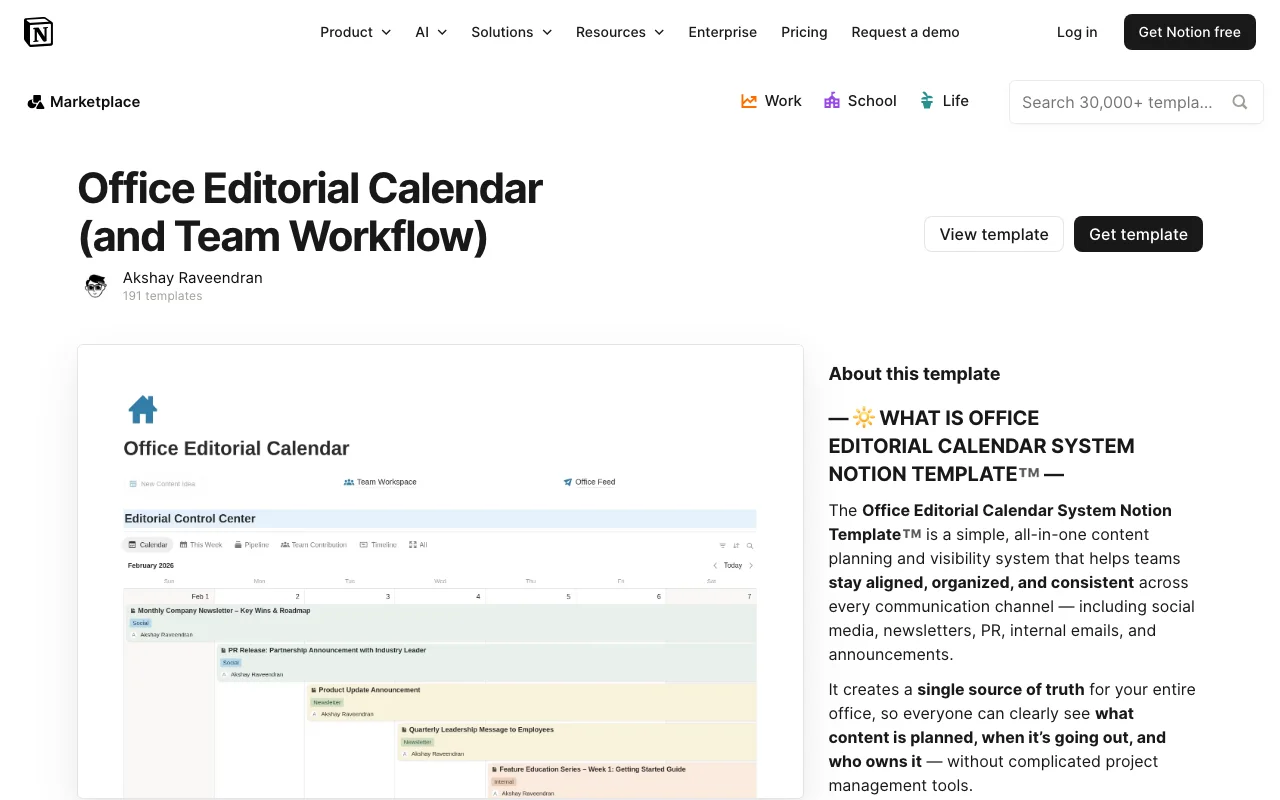
The Office Editorial Calendar and Team Workflow template is a comprehensive Notion solution designed to streamline content planning and team collaboration. This free template brings organization to your content creation process by providing a centralized hub where editorial teams can plan, assign, and track content projects from conception to publication.
Built specifically for content teams, marketing departments, and editorial offices, this Notion template eliminates the chaos of scattered spreadsheets and email chains. It combines an intuitive editorial calendar with integrated team workflow management, allowing your entire team to stay aligned on content timelines, deadlines, and responsibilities. Whether you're managing a blog, social media channels, or multi-channel content strategy, this template adapts to your needs.
The template includes several key sections that work together seamlessly. The editorial calendar view provides a visual timeline of your content initiatives, making it easy to see what's planned and when. The team workflow section tracks tasks, assignments, and status updates, ensuring nothing falls through the cracks. You'll find sections for content ideas, publication schedules, team member assignments, and progress tracking—all interconnected within your Notion workspace.
What makes this Office Editorial Calendar particularly valuable is its flexibility. Unlike rigid software solutions, Notion allows you to customize every aspect to match your team's unique process. You can modify status types, add custom fields for campaign tags or content categories, adjust the calendar view to daily, weekly, or monthly perspectives, and create filters that show each team member only their relevant tasks.
For content creators and editorial managers, this template solves critical workflow problems. It provides transparency across your team about who's working on what, reduces bottlenecks by making deadlines visible, and creates accountability through clear task assignments. Team members can update their progress in real-time, and stakeholders can check status without constant check-in meetings.
Getting started is straightforward. Created by akshyraveendran, this free Notion template can be duplicated into your workspace in minutes. Once imported, you can immediately begin adding your upcoming content projects, team members, and deadlines. The intuitive layout guides new users naturally through the process, and existing content can be easily migrated in.
Whether you're a solo content creator looking to organize your publishing schedule or a large editorial team coordinating complex campaigns, the Office Editorial Calendar and Team Workflow template provides the structure and visibility needed for efficient content production. It's a powerful example of how Notion can replace multiple tools with a single, integrated solution.
Frequently Asked Questions
What's included in the Office Editorial Calendar template?↓
This Notion template includes a visual editorial calendar for planning content timelines, a team workflow management section for task assignments and status tracking, sections for content ideas and brainstorming, publication schedules, team member assignment areas, and progress tracking features. All sections are interconnected to provide a complete content management system.
Who is this template best suited for?↓
The Office Editorial Calendar is ideal for content teams, marketing departments, editorial offices, blog managers, social media teams, and anyone coordinating multi-person content creation. It works for both small teams and larger organizations managing complex content strategies across multiple channels.
Is this template completely free?↓
Yes, the Office Editorial Calendar and Team Workflow template is completely free. Created by akshyraveendran, it's available as a free Notion template that you can duplicate into your workspace at no cost.
How customizable is this Notion template?↓
The template is highly customizable. You can modify status types, add custom fields for campaigns or content categories, adjust calendar views between daily, weekly, or monthly perspectives, change color coding, create custom filters, and reorganize sections to match your team's specific workflow preferences.
Is the template compatible with Notion's free plan?↓
Yes, this template works with Notion's free plan. You can duplicate it and use all features without requiring a paid Notion subscription, making it an accessible solution for teams of any size or budget.
Related Templates
✍️Free
Notion·Content Creation
Content Planner For TikTok & Instagram
by designedbylindaFree
✍️Free
Notion·Content Creation
Content planner for coffee bars
by breugemlucasFree
 Free
FreeNotion·Content Creation
Email Newsletter OS | Plan & Grow Your Newsletter
by heyismailFree
✍️Free
Notion·Content Creation
Email Marketing Tracker
by senteleFree